
Order processing, before and after.
Four manual order tasks at an electrical distributor, what replaced each one, and what changed. Open a row to follow one order from the incoming PO to the ERP.
Manual tasks and what replaced them
Manual task:Retyping PO emails and PDFs into the ERP line by lineWhat replaced it:Runtara reads the PO and enters the sales orderOutcome:Inside sales reviews only the lines that fail a check.
1 / Incoming
A PO arrives by email
The customer sends the purchase order as a PDF to your orders inbox, as they do today.
2 / Extracted
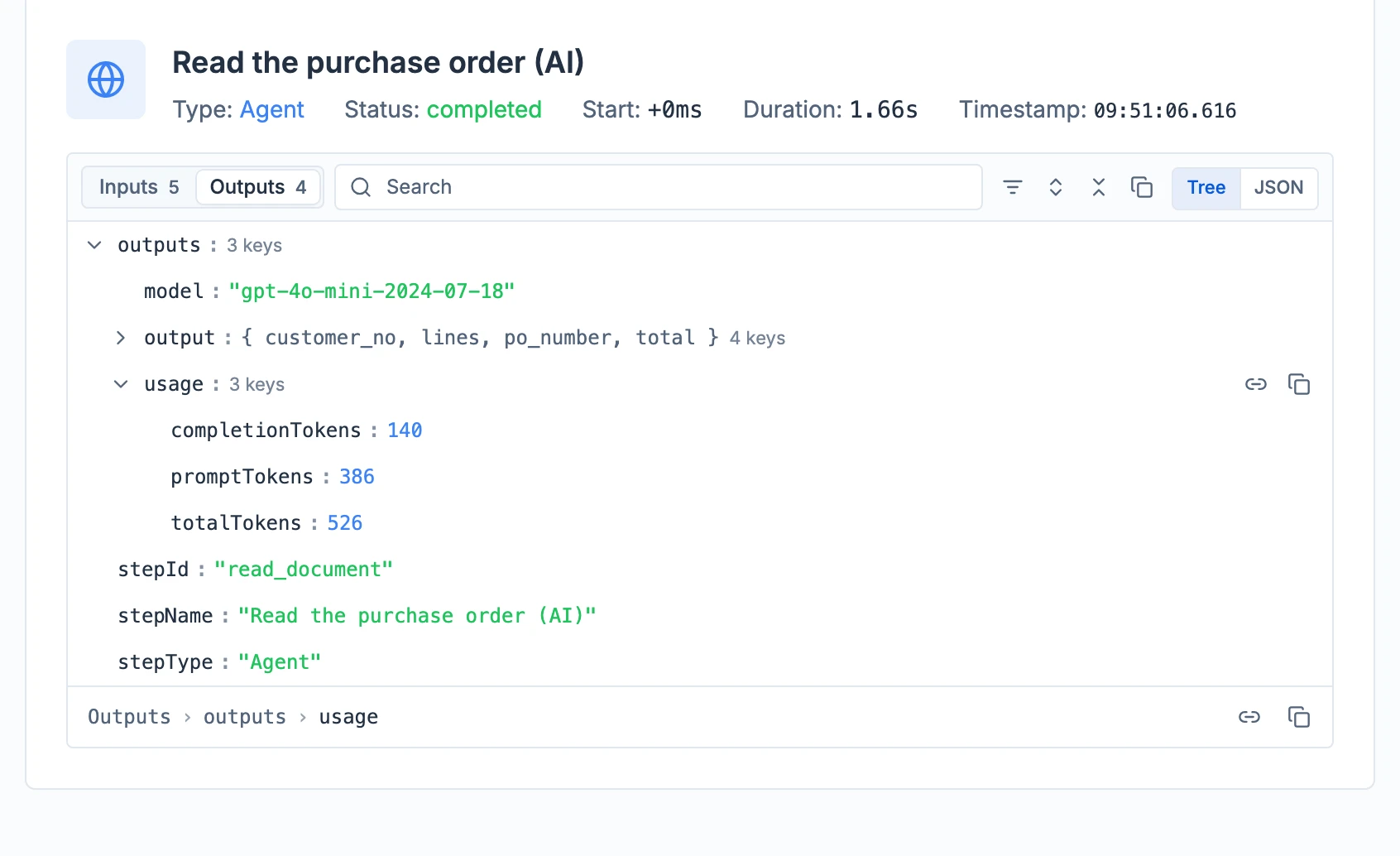
Runtara reads the order
The customer number, PO number, lines and total become fields on the run.
3 / In the ERP
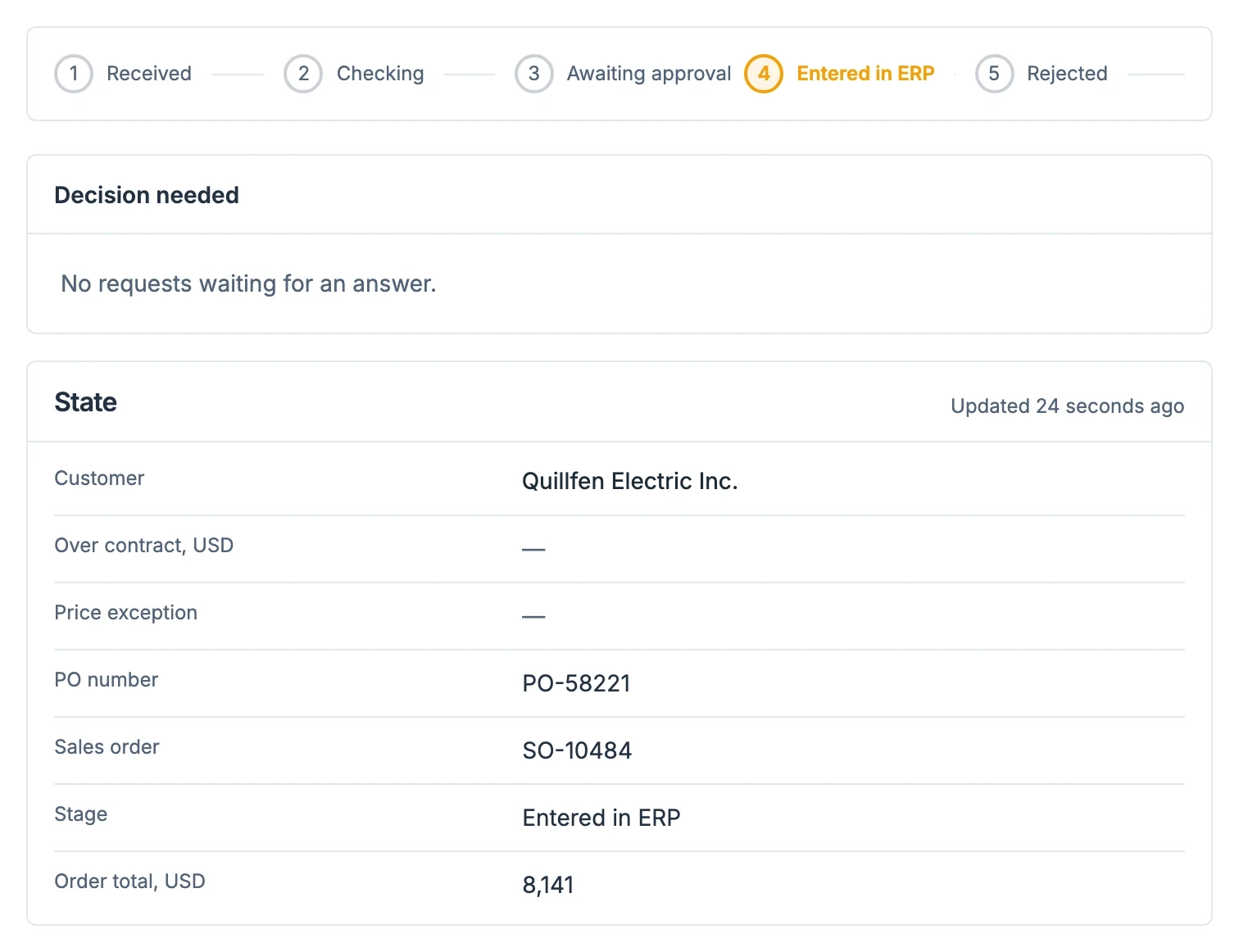
The sales order is created
An order that passes every check goes in with no one involved. The run keeps the sales order number.
Manual task:Checking part numbers and units of measure by handWhat replaced it:Customer part numbers and units are matched to your catalogueOutcome:Anything unclear is flagged for review before entry.
1 / Incoming
The customer writes it their way
The line names the item in the customer's words and unit, not yours.
PO-60417 · 200 FT 3/4" EMT CONDUIT2 / Extracted
Runtara matches item and unit
The description is matched to your item and feet are converted to 10 ft sticks.
EMT-075-10 · 20 EA3 / In the ERP
The line lands in your terms
The order line is entered under your item number and unit of measure.
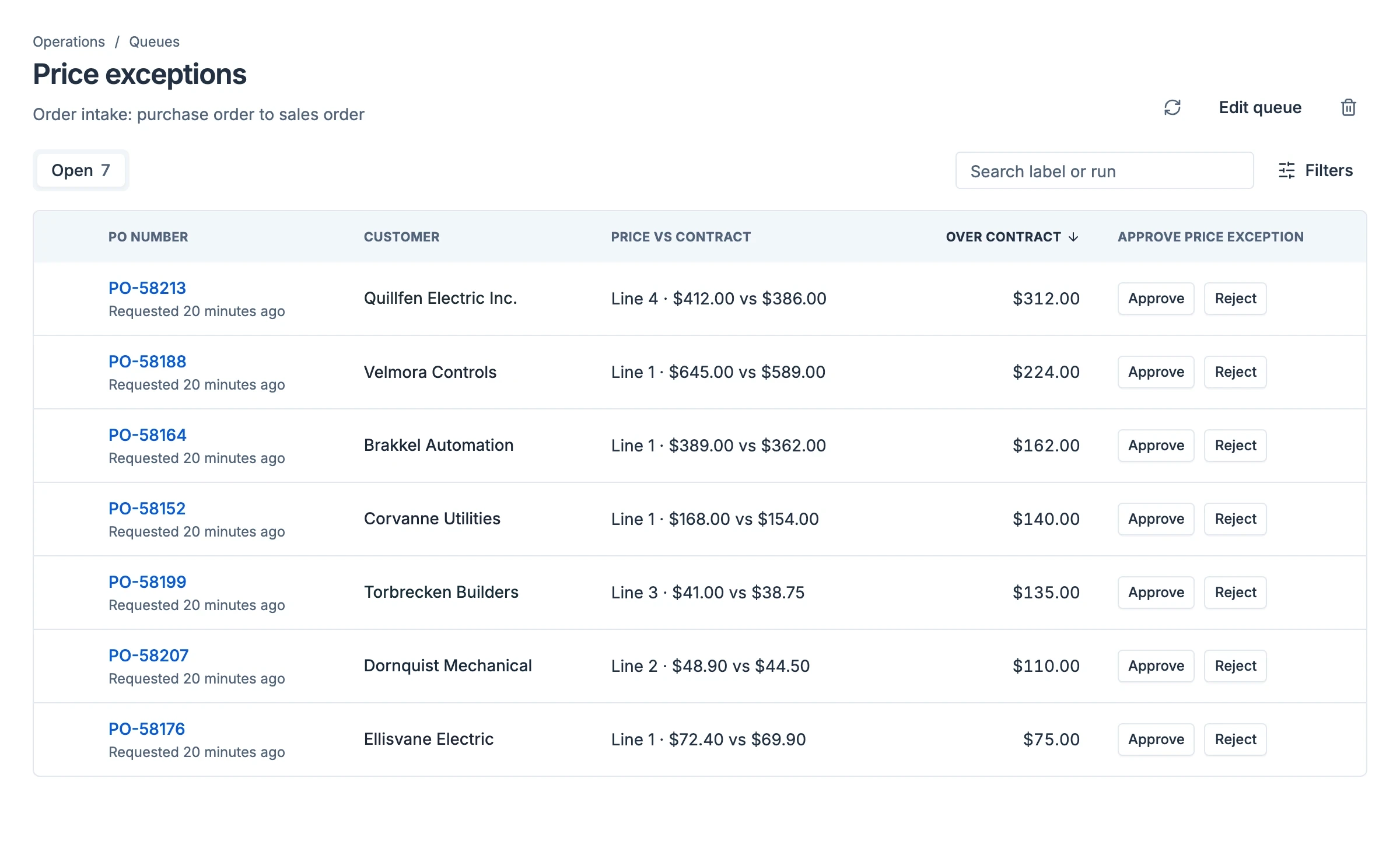
Manual task:Checking each price against the contract before entryWhat replaced it:Every line price is checked against the contract priceOutcome:Orders over contract wait in one queue for approval.
1 / Incoming
One line is priced over contract
Five lines of the order agree with the ERP. Line 4 does not.
PO-58213 · line 4 · LED-HB-150W-50K · $412.002 / Extracted
Runtara holds the order
The contract price is $386.00, so the order waits in the queue with the difference shown.
3 / In the ERP
The approval creates the order
Inside sales approves or rejects in one click. An approval becomes the sales order in the ERP.
Manual task:Typing order acknowledgements by handWhat replaced it:The confirmation is generated from the ERP orderOutcome:It is ready to send as soon as the order exists.
1 / In the ERP
The order exists
The sales order created from the PO is the source for the confirmation.
2 / Generated
Runtara writes the confirmation
Lines, quantities and prices come from the ERP order, not from the PO.
3 / Ready
The confirmation is ready to send
It goes to the customer who placed the order.
Bring us one process.
Start with a paid pilot of one real process, such as order intake into your ERP. Our team builds and runs the workflow, live in two weeks once access is in place.